Do you think it’s possible to create a complex system to pick stocks within a few minutes? If you answered NO, then prepare to be shocked!
That’s exactly what a Factor Model helps you do.
It sounds complex, but the idea is simple—assign scores to stocks based on specific metrics and combine those scores to create an actionable investment strategy.
Let’s break it down step by step.
Building a Factor Model

To begin, you can choose your Universe among three different categories: Index, Exchange, and Custom (you can see the highlighted section on the left side above for reference.) You also have an option of choosing the maximum number of stocks.
[Note: We’ll revisit the other things like Backtest, Save, and Filter later in the article (highlighted on the right side above).]
Instead of just filtering stocks based on a metric like P/E or ROE, a Factor Model assigns a normalized score to each metric for every stock in your chosen universe. These scores range between 0 and 100, with higher scores always being better.
Normalization ensures that scores across different metrics can be combined seamlessly.
Let’s have a look at how the screen will look when you add a couple of metrics and understand this better.
The yellow box is the main section of metrics. Followed by sub-sections in green boxes with metrics under each of them. Alternatively, you can search for the metric directly (as marked with a green arrow).

For most metrics, the ordering is obvious (lower P/B is better, and higher ROE is better) as seen with the red arrows above.
But for others, you have the option to adjust the default selections. (Note: the final score for that metric will always be calculated such that higher is always better.)
Normalization and uniformity in scoring ensure that multiple metrics can now be combined to form an aggregate score which will serve as the final “Factor Score” value.
How to Build a Factor Model: Example
Let’s run through an example to get a more comprehensive understanding.
Imagine we want to create a “multi-cap value + momentum” portfolio with a touch of quality. Here's how we can do it:
Step 1: Narrow Down the Universe
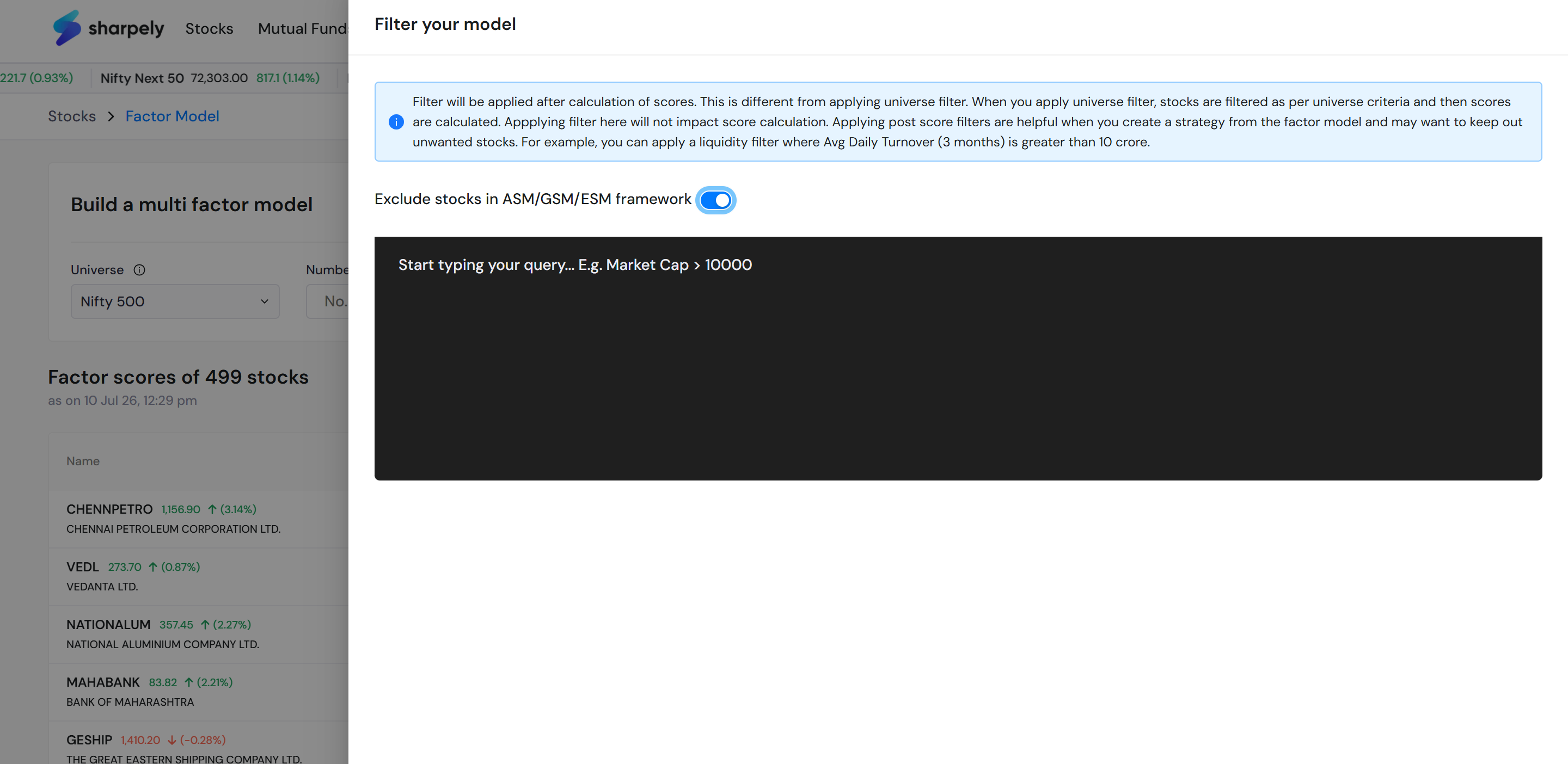
We will start with the Nifty 500 index as it’s a widely tracked index. We’ll exclude stocks that are under surveillance or proposed to be delisted. (Turn on ‘Exclude ASM/GSM/ESM Framework. This can be found by clicking on the Filter icon.)

Step 2: Add Metrics to Your Factor Model
Think of metrics as the ingredients in your recipe. For this example:
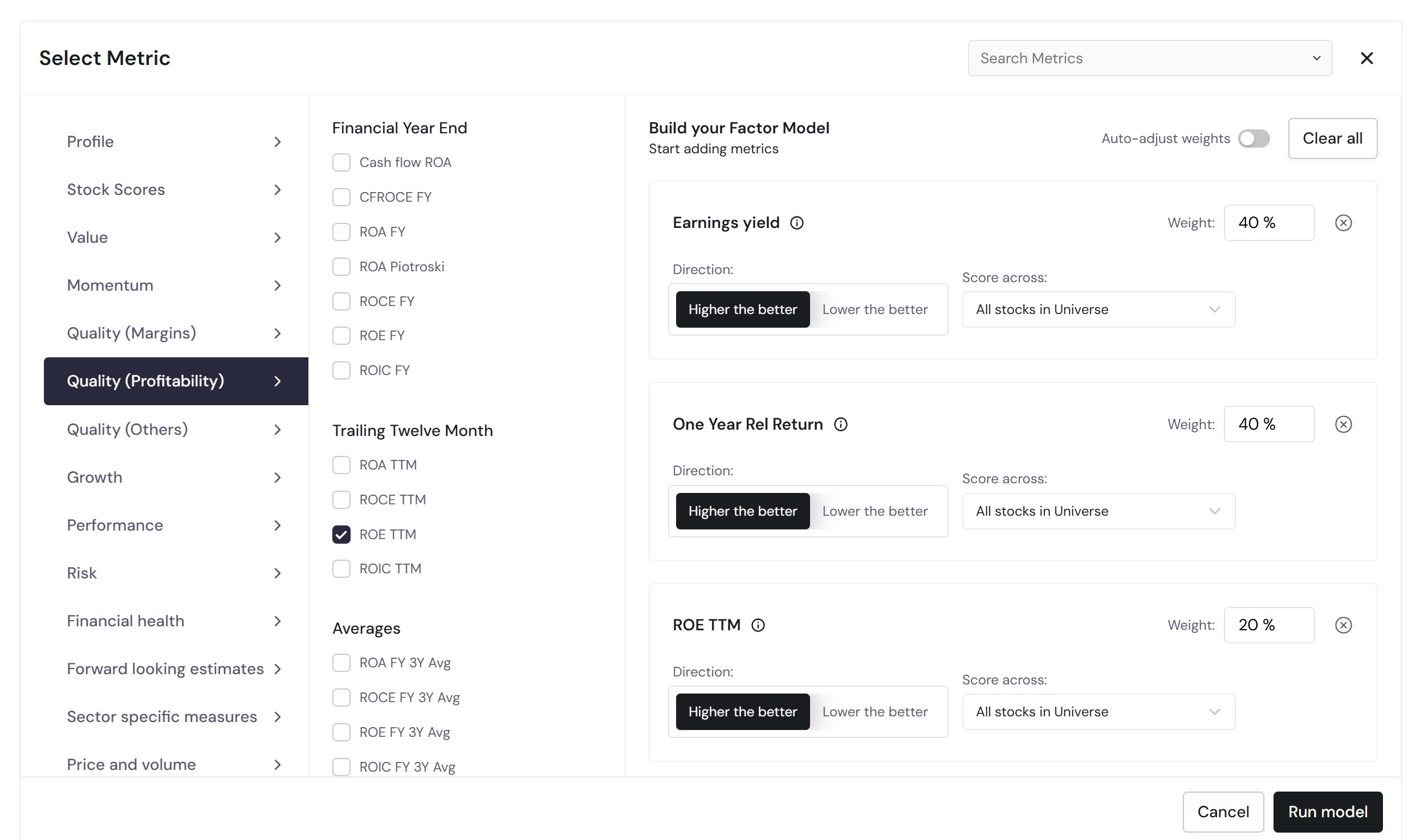
- Earnings Yield will represent Value.
- 1-Year Relative Return will represent Momentum.
- ROE captures Quality.
Add these metrics using the “Add Metric” feature. Each metric gets a default equal weight, but you can customize it.
We will assign 40% weight each to Earnings Yield and 1-Year Relative Return, and 20% weight to ROE. The same can be seen below.
Step 3: Viewing the result
As described above, a normalized score (between 0 and 100) is calculated for each stock in Nifty 500 for each of the selected metrics. We then calculate a weighted sum of these scores to get an aggregate score AS.
AS = 0.4 x PE + 0.4 x 1-year relative return + 0.2 x ROE
The aggregate score is then again normalized between 0 to 100 to arrive at the final score which serves as your Factor Score.
By default, stocks are shown in descending order of the Factor Score (remember, a higher score is better).

Step 4: Backtesting the Factor Model
You can evaluate the effectiveness of your Factor Model by backtesting it. Details of our Factor Model back test methodology can be read along with backtest results. More details can be found here.

What happens next?
Step 5: Save and Track Your Factor Model
Once you’re happy with your Factor Model, you can save it for future reference.
But you won’t invest in all 488 stocks, right?
Want to focus on the top 20 stocks? No problem—simply set that as your limit, and only the top 20 will appear in your list. (As shown in the green box below.) Hit the save button (red box below) and your model is saved.

Now at the start of this article, we said, we’ll discuss the Backtest, Save, and Filter options later, remember?
We have covered two, and now comes the best part– Filter Option.
Step 6: Filter the Factor Model
When you tap on the filter icon a screen appears like this. (We’ve seen this when we excluded the list of stocks in the ASM/GSM/ESM framework.)
Now why is this the best part?
Well, selecting the top 20 stocks as per your Factor Scores might still not give the best results.
Let’s say you have selected the metrics and assigned the ordering, too.
But now you might want to filter out stocks that have a P/E lesser than 15, or Market Cap greater than 10000cr, etc.
Sounding a lot like building a screen, right? That’s exactly what you’re doing here. And why this is the best part.
In sharpely you can create a factor model and then screen it to refine your decision-making even more. Here’s what our earlier factor model looks like after adding the filters of PE and Market Cap.

As you can see just 58 stocks are showing right now. Similarly, you can add more filters and refine your list of stocks.
But wait there’s more.
Invest with Confidence
You can use your Factor Model to create a fully automated strategy of your own. We’ve talked about it in more detail here.

