These are screens created by the sharpely community experts, which also include SEBI-registered entities.
Sounds exciting, right? You can see it below ‘My Screens’ in Screener.
As you can see, we’ve divided them into six different categories. Let’s explore them a little.
Price and Volume Screeners

The first one is Price and Volume Screeners. The screens in this category help you filter stocks based on trading volumes and price breakouts across different timeframes like 1W, 1M, 1Q, 1Y, and all-time highs and lows.
As you can see there are a variety of screens in this. We’ll select one and walk you through the process once.
In our example, we’ll choose the ‘Price Volume Breakout’ screen. It is the first one.

This is what it looks like. You can see a brief description of the screen (as marked with the red arrow.)
304 stocks qualify the conditions set for this screen and it also shows you a couple of important metrics. (You have the option to add custom columns, too.)
Backtesting the Screen
You can run a backtest on the screen to check its credibility. Here’s a snapshot of this screen’s backtest.

As we can see, this screen outperforms the benchmark index in the 1-year timeframe. You can check across different timeframes and other sections as well. We won’t get into too much detail about backtesting. We’ve covered it in the article here.
Fundamental Screeners
Let’s look at another category– Fundamental screeners.
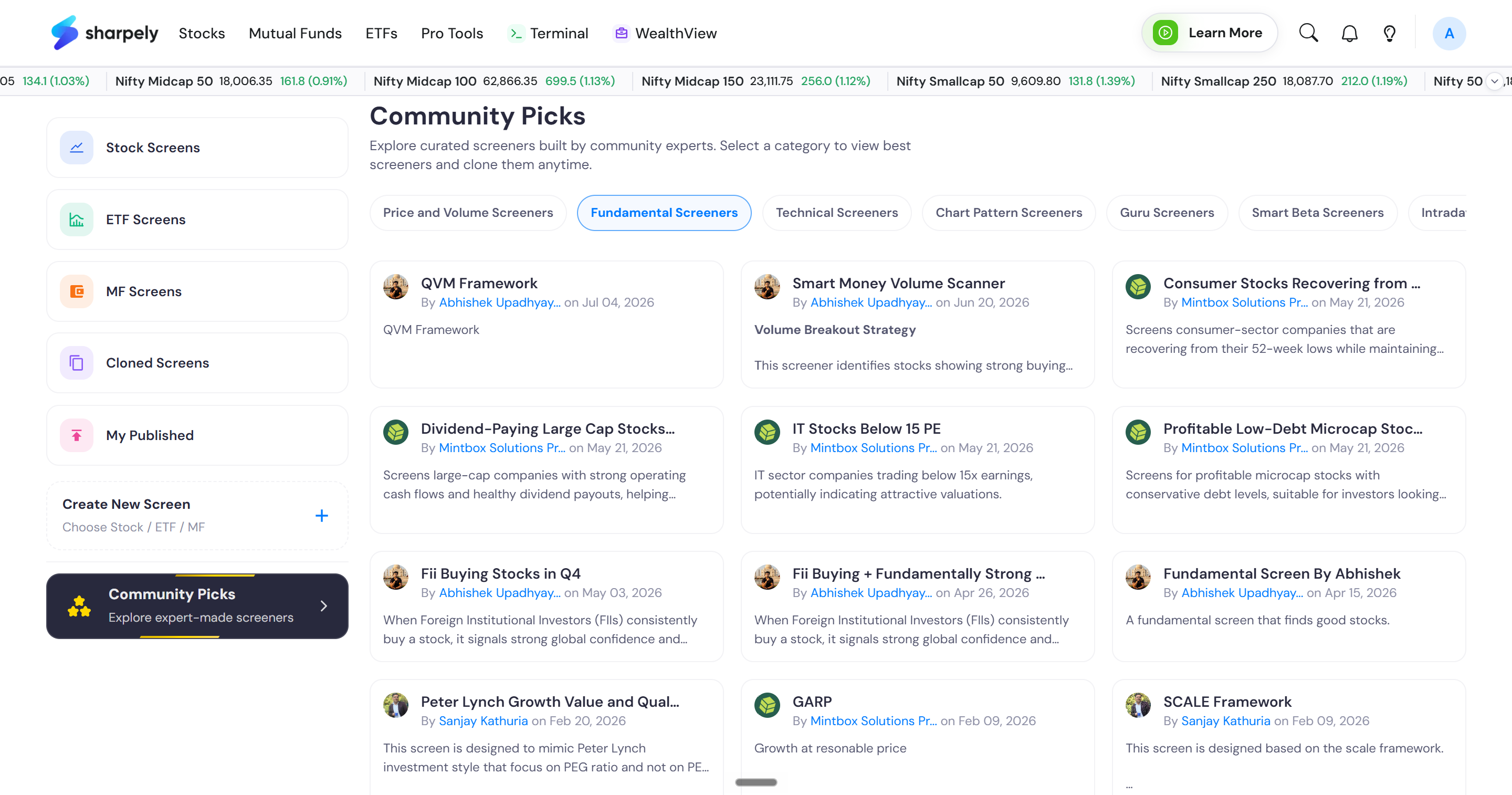
These filter stocks based on key metrics such as market cap, quarterly results, CAPEX, and value or growth parameters. You can leverage such screens to gain deeper insights into a company's fundamentals.
Similarly, Technical screeners focus more on using technical indicators like RSI, EMAs, SMAs, Bollinger Bands, etc to filter stocks, and so on. You can explore each category and the community screens in each of them to get a hold of each type of screener.
In the next articles, we’ll cover 10 examples from these community screens, that will further guide you on using screen builders as well as give you another walkthrough on the community screens.
[Please note, you have an option to clone a screen (if you saw a screen you liked), but remember you’ve only a set number of clone credits in a particular period. So you can only clone a finite number of screens. You also have the option to publish your screens and if someone clones your screen, you get paid for it!]

